
Dear Mama
Panama Hat Roasters LLC
Screenshots
App details
- Version
- 1.1
- Updated
- February 22, 2024
- Requires
- iOS 16.4
- Language
- English
- License
- Free
- Developer
- Panama Hat Roasters LLC
- Category
- iPhone OS
SoftPas in:
This product is also available in the following languages:
About Dear Mama
Order Ahead with Dear Mama
Overview
Dear Mama is a streamlined iPhone app designed to simplify the process of ordering food and drinks. The software enables users to browse menus, customize their selections, and complete payments with minimal effort. It is tailored for individuals seeking a faster, more convenient way to manage their daily food orders, whether for pickup or delivery. By allowing users to pre-order ahead of time, Dear Mama helps eliminate long wait times and reduces the stress of in-person ordering, particularly during peak hours.
The app supports order customization, allowing users to adjust ingredients, portion sizes, and preferences to match their tastes. It also features a loyalty program that rewards repeat customers with exclusive offers and special deals. Notifications keep users informed about new promotions, order status updates, and delivery timelines. The software is especially useful for busy professionals, students, and families who value time efficiency and personalized service.
Developed by Dear Mama, the app focuses on creating a seamless experience between customers and food service providers. Its core functionality centers around convenience, speed, and user retention through engagement features. While specific developer background details are not provided, the app’s design reflects a clear focus on usability and real-world application in fast-paced environments.
Key Features & Capabilities
- Order Ahead Functionality – Users can place orders in advance for pickup or delivery, avoiding lines and reducing wait times.
- Menu Browsing & Customization – Full access to digital menus with options to modify items, such as adding extra toppings or adjusting sweetness levels.
- Secure Payment Integration – Enables quick and safe transactions using saved payment methods, streamlining the checkout process.
- Order Tracking – Real-time updates on order status, from preparation to delivery or pickup confirmation.
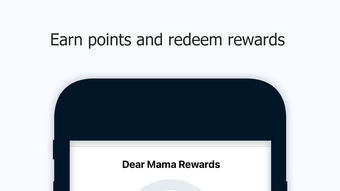
- Loyalty Rewards Program – Customers earn points with each purchase, unlocking exclusive discounts and special offers.
- Push Notifications – Timely alerts for new deals, order progress, and personalized recommendations.
- Preferred Order Saving – Users can save frequently ordered items for one-tap reordering, enhancing workflow efficiency.
These features are particularly effective in high-traffic food environments where speed and accuracy matter. For example, a busy professional can order their morning iced latte and chocolate chip cookie before leaving home, ensuring it’s ready upon arrival. Similarly, families can pre-order meals for dinner, reducing decision fatigue and saving time during evening routines.
User Interface, Workflow & Performance
The user interface of Dear Mama is designed with simplicity and speed in mind. Navigation is intuitive, allowing users to access menus, place orders, and track deliveries through a clean, visually organized layout. Key actions such as adding items to the cart, customizing orders, and checking out are accessible with minimal taps.
Workflow efficiency is enhanced by features like saved preferences and one-tap reordering, which reduce repetitive steps. The app maintains a consistent layout across screens, contributing to a smooth user experience. While specific performance metrics such as CPU or RAM usage were not provided, the app’s lightweight nature—150MB in size—suggests optimized resource management.
Stability and responsiveness are expected to align with standard iOS app behavior. The developer did not specify detailed performance data, but the app’s focus on core ordering functions implies a stable operation under normal usage conditions. General software behavior patterns suggest consistent performance during typical order cycles.
Compatibility & System Requirements
Dear Mama is designed exclusively for iPhone devices, ensuring compatibility with the iOS ecosystem. It is optimized for the latest iOS versions, though specific version requirements were not listed. The app requires 150MB of storage space for installation, which is typical for mobile applications with moderate multimedia content.
Exact system requirements were not listed. The developer did not provide information about minimum hardware specifications, such as processor speed or RAM capacity. Platform compatibility information is limited to iPhone, with no mention of iPad or other Apple devices. Users should ensure their device meets standard iOS requirements for app installation and operation.
Pros and Cons
Pros
- Effortless order-ahead functionality for pickup and delivery
- Intuitive interface with quick access to menus and customization
- Secure payment system with saved payment details
- Real-time order tracking reduces uncertainty
- Loyalty rewards encourage repeat usage
- Push notifications keep users informed and engaged
- Supports saving favorite orders for faster reordering
Cons
- Available only on iPhone, limiting cross-device access
- No information on system requirements or hardware compatibility
- Limited to food and drink ordering, with no broader utility
- App size may be larger than expected for simple tools
- Dependent on third-party vendors for fulfillment
FAQ Section
Is Dear Mama available for Android devices?
Currently, Dear Mama is only available for iPhone users. There is no information on Android compatibility at this time.
Is the app free to download and use?
Yes, Dear Mama is free to download and use. All core features, including ordering, customization, and notifications, are available at no cost.
How does the loyalty rewards program work?
Users earn points with each order placed through the app. Points accumulate and can be redeemed for discounts or free items, as defined by the program’s terms.
Does Dear Mama require an internet connection?
Yes, an active internet connection is required to browse menus, place orders, receive notifications, and track order status.
Can I use Dear Mama offline?
While the app does not support full offline functionality, users can view previously saved orders and menus if cached. However, placing or tracking orders requires an active connection.
Final Thoughts + CTA
Dear Mama delivers a focused, user-friendly solution for those seeking faster, smarter ways to order food and drinks. Its streamlined interface, real-time tracking, and loyalty incentives make it a practical tool for daily use. The app excels in convenience, especially for iPhone users who value time-saving features and personalized experiences.
While it is limited to a single platform and lacks broader functionality, its specialization in food ordering provides a strong value proposition. The free access, combined with useful tools like saved orders and push notifications, makes it a compelling choice for individuals and families.
Download Dear Mama now to enjoy a faster, smarter way to order your favorite treats—anytime, anywhere.
Guides & Tutorials
How to install Dear Mama
- Click the Download button above.
- Once redirected, accept the terms and click Install.
- Wait for the Dear Mama download to finish on your device.
How to use Dear Mama
This software is primarily used for its core features described above. Open the app after installation to explore its capabilities.
User Reviews
No reviews yet. Be the first to share your experience.
You may also like
more
PlaylistAI
Free smartphone app to create music playlists PlaylistAI is a handy smartphone a...

Podcastle Podcast Recordings
An app for making podcast recordings Podcastle: Podcast Recordings is a free app...

harpy chat
Immersive role-play with AI characters harpy.chat is a free AI chat platform whe...

Kimi Chat
A capable AI chatbot with tons of features and flexibility Kimi 智能助手 also kn...

Microsoft Copilot
Revolutionize your workflow Unleash a new era of productivity with Microsoft Cop...

Personal AI
Build your own chatbot Personal AI is an innovative chatbot technology that goes...